pacman::p_load(tidyverse, sf, tmap)In-class Exercise 2
mpsz <- st_read(dsn = "data/geospatial")Reading layer `MP14_SUBZONE_WEB_PL' from data source
`/home/tropicbliss/GitHub/quarto-project/In-class_Ex/In-class_Ex02/data/geospatial'
using driver `ESRI Shapefile'
Simple feature collection with 323 features and 15 fields
Geometry type: MULTIPOLYGON
Dimension: XY
Bounding box: xmin: 2667.538 ymin: 15748.72 xmax: 56396.44 ymax: 50256.33
Projected CRS: SVY21Simple features are represented via “simple features geometry (SFG)”, and they and geospatial data can be represented with “simple features objects (SFO)” which represent a collection of SFG as a data-frame object. The non-spatial data (metadata) are stored in a separate column separate from the SFG column. The data type of that SFG column is known as “simple features collection (SFC)”.
SFO is an object, you can get the class by passing in a variable to the
classfunction.In the environments tab, “obs” stands for observations which is basically the number of rows. “Variables” represent the number of columns.
The data types you will be working with for each column would be:
intchr- Basically a string.
Datenum- A superclass of
intanddouble. R will automatically cast it to its child classes if needed, but this is basically a generic number class.
- A superclass of
mpsz2019 <- st_read(dsn = "data/geospatial/MasterPlan2019SubzoneBoundaryNoSeaKML.kml") %>% st_transform(crs = 3414)Reading layer `URA_MP19_SUBZONE_NO_SEA_PL' from data source
`/home/tropicbliss/GitHub/quarto-project/In-class_Ex/In-class_Ex02/data/geospatial/MasterPlan2019SubzoneBoundaryNoSeaKML.kml'
using driver `LIBKML'
Simple feature collection with 332 features and 22 fields
Geometry type: MULTIPOLYGON
Dimension: XYZ
Bounding box: xmin: 103.6057 ymin: 1.158699 xmax: 104.0885 ymax: 1.470775
z_range: zmin: 0 zmax: 0
Geodetic CRS: WGS 84If you look at the KML version, you can see that it is less tidier than the Shapefile version.
<center><table><tr><th colspan='2' align='center'><em>Attributes</…You’ll have to manually parse and extract the data. Hence, the Shapefile version will be the one we are going to use.
tm_shape(mpsz)+
  tm_fill("REGION_N",
          style = "quantile",
          palette = "plasma",
          title = "Subzones") +
  tm_layout(main.title = "Planning subzones of Singapore (2014)",
            main.title.position = "center",
            main.title.size = 1.2,
            legend.height = 0.45,
            legend.width = 0.35,
            frame = TRUE) +
  tm_borders(alpha = 0.5) +
  tm_compass(type="8star", size = 2) +
  tm_scale_bar() +
  tm_credits("Source: Planning Sub-zone boundary from Urban Redevelopment Authorithy (URA)")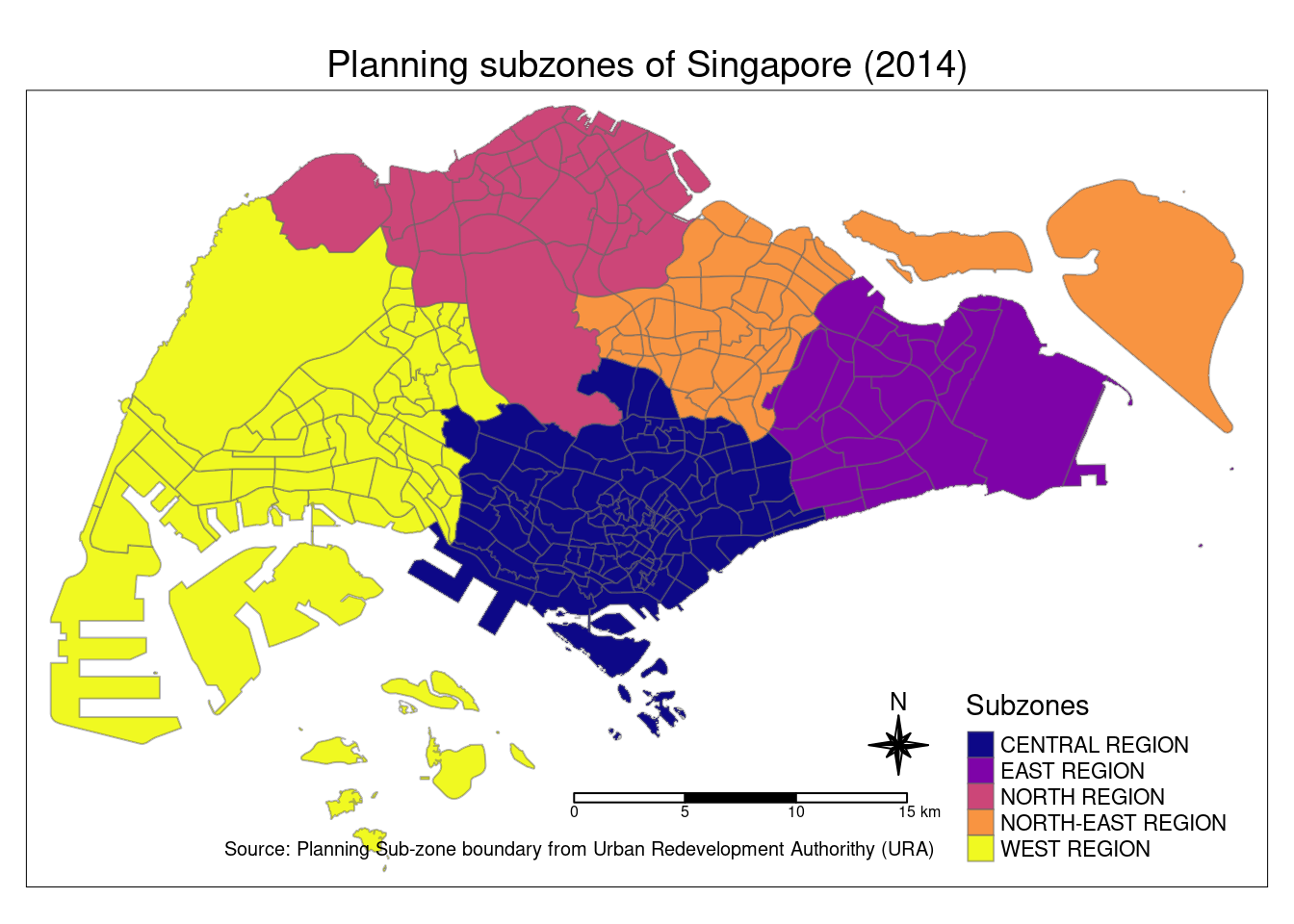
preschool = st_read("data/geospatial/PreSchoolsLocation.kml")Reading layer `PRESCHOOLS_LOCATION' from data source
`/home/tropicbliss/GitHub/quarto-project/In-class_Ex/In-class_Ex02/data/geospatial/PreSchoolsLocation.kml'
using driver `LIBKML'
Simple feature collection with 2290 features and 16 fields
Geometry type: POINT
Dimension: XYZ
Bounding box: xmin: 103.6878 ymin: 1.247759 xmax: 103.9897 ymax: 1.462134
z_range: zmin: 0 zmax: 0
Geodetic CRS: WGS 84preschool3414 <- st_transform(preschool, crs = 3414)popdata <- st_read("data/aspatial/respopagesextod2023.csv")Reading layer `respopagesextod2023' from data source
`/home/tropicbliss/GitHub/quarto-project/In-class_Ex/In-class_Ex02/data/aspatial/respopagesextod2023.csv'
using driver `CSV'Warning: no simple feature geometries present: returning a data.frame or tbl_dfpopdata2023 <- popdata %>%
group_by(PA, SZ, AG)